Help improve MyMusik

With your consent, Shaggai GmbH uses Google Analytics cookies to measure visits, download clicks and checkout steps. Google processes browser IDs and device data, including in the USA. Withdraw anytime in Privacy choices.

By allowing analytics, you confirm that you are 16 or older.

Privacy policy
Options

Your music. Wherever you go.

Your offline music player. Your library, organized.

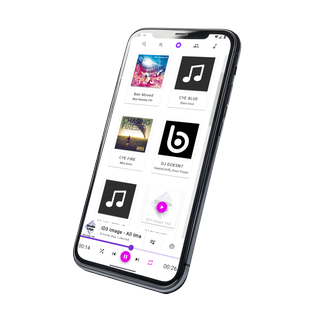
Play MP3, FLAC and WAV offline. Organize your files with folders and playlists on Windows, Android and Linux.

Start listening offline for free, without an account

  • Offline without an account: Play your own audio files. Available device storage determines the size of your local collection.
  • Sync across devices: add music on Android, listen on Windows, and keep only the songs you want on each device
  • Discover through community: Show playlists and favorites, connect with friends by code or QR code, and recommend songs privately.
  • Control music with natural language: ask AI to find songs, queue music, and control playback
  • Organize every detail: manage albums, artists, tags, lyrics, release year, cover art, and more
  • Edit audio in one workflow: trim, cut, and extract audio without leaving your music library
  • Pick up where you left off: track listening stats, save album bookmarks, and keep your place across sessions
  • Build with music APIs: create integrations and extend your workflow with developer-friendly tools

Runs on:

  • Windows
  • Linux
  • Android
  • Browser

Screenshots

See MyMusik in action

Explore key screens for playback, search, metadata editing, AI controls, and sync workflows.

Listen, organize, discover

Get more from your music collection

Folders, URLs & cloud

Bring your music together

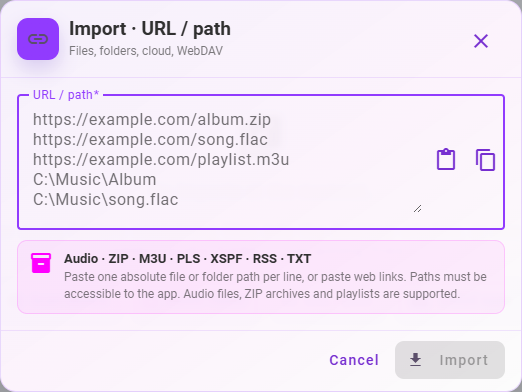
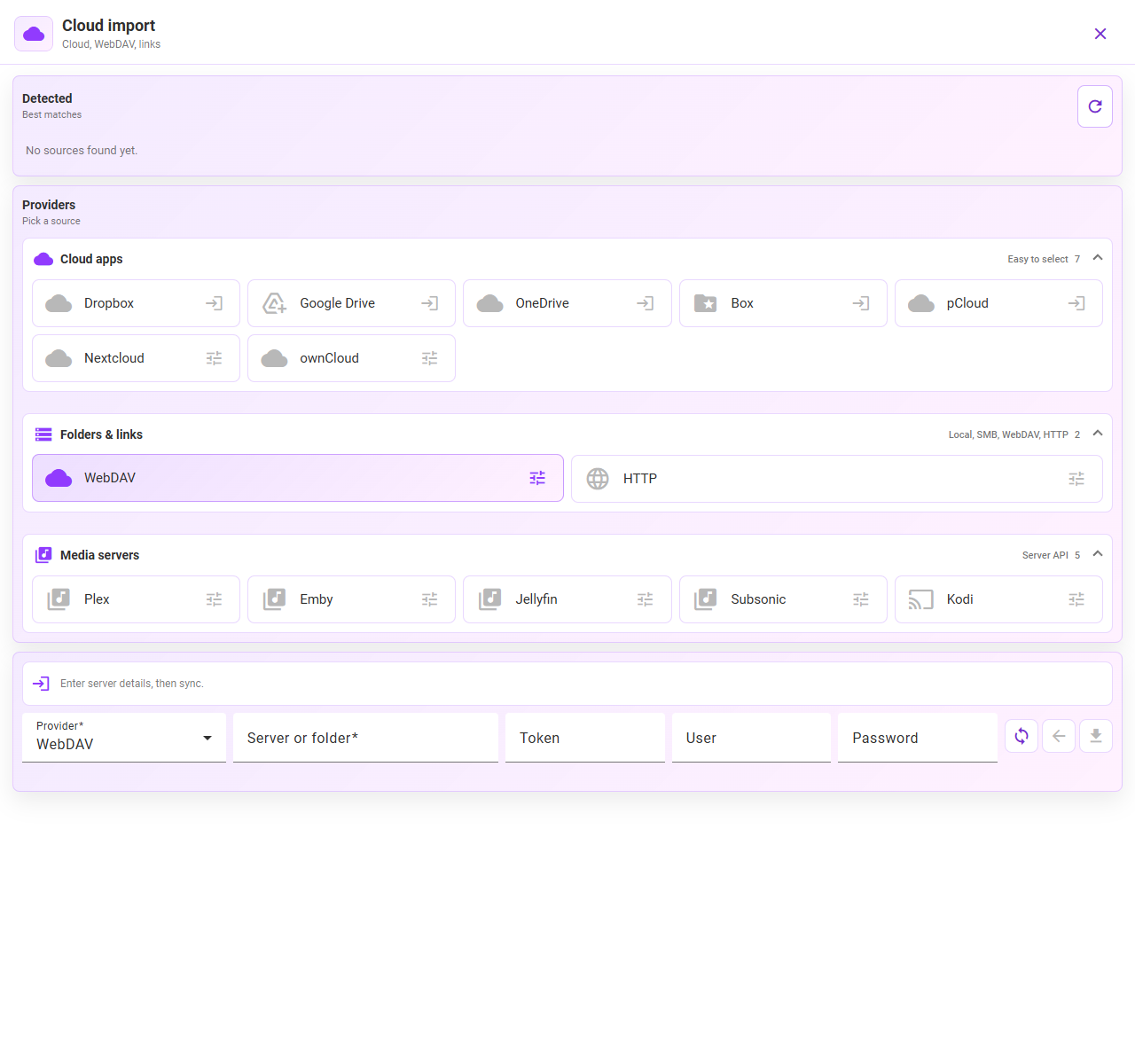
Scan your device or choose folders, paste audio and ZIP links, or connect Google Drive, Dropbox, OneDrive, Box and pCloud. WebDAV, Nextcloud and ownCloud are supported too. Review imports and choose whether to keep the original format or convert.

Import from folders, URLs, ZIP & cloud

Everyday listening

Your sound. Your queues. Your pace.

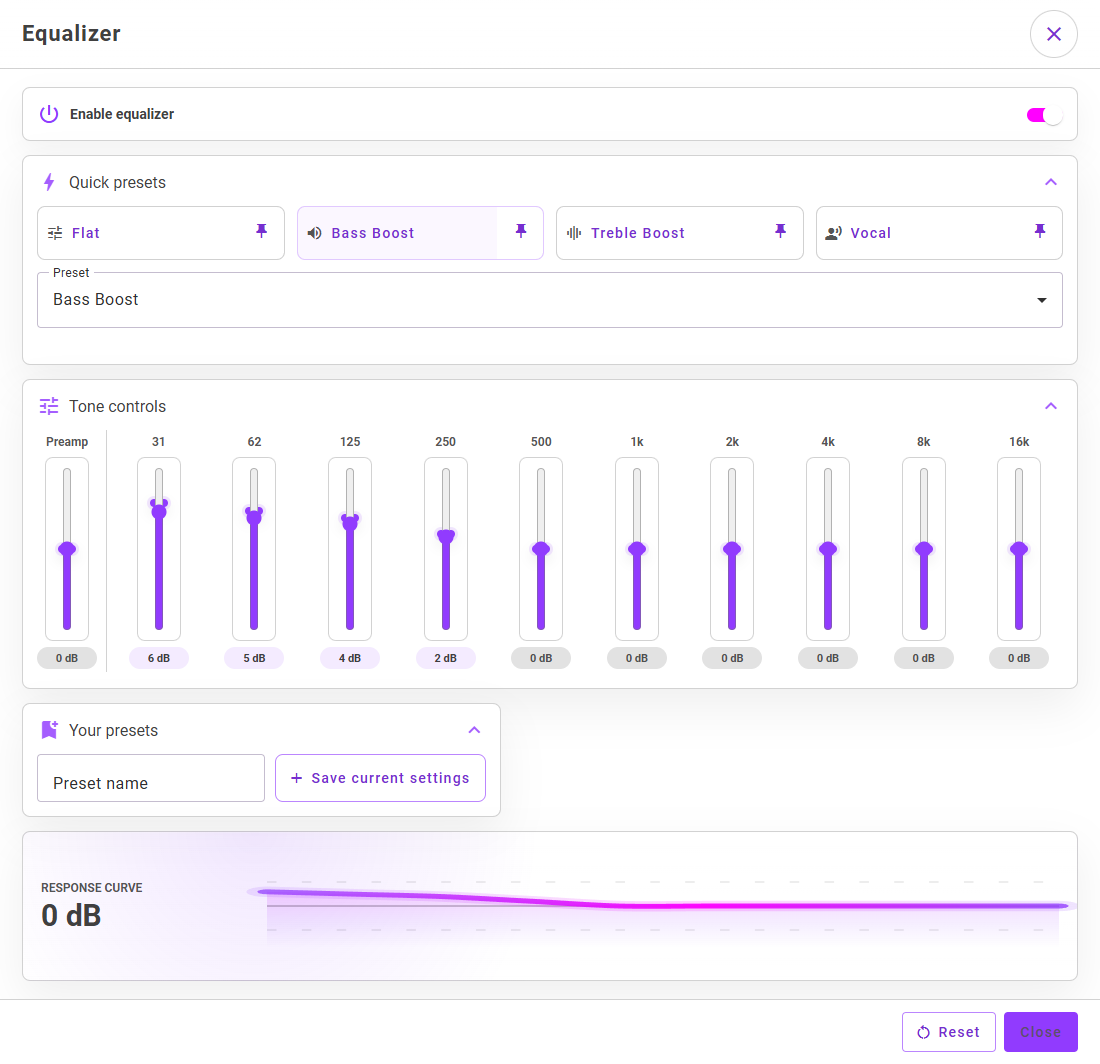
Adjust the equalizer, keep separate queues for work and the journey home, and stop playback after a timer, a track or a queue. Use bookmarks for long recordings and listen through Android Auto on a compatible car display.

Offline playback, equalizer & Android Auto

Audio tools & metadata

Cut audio. Extract the part you need.

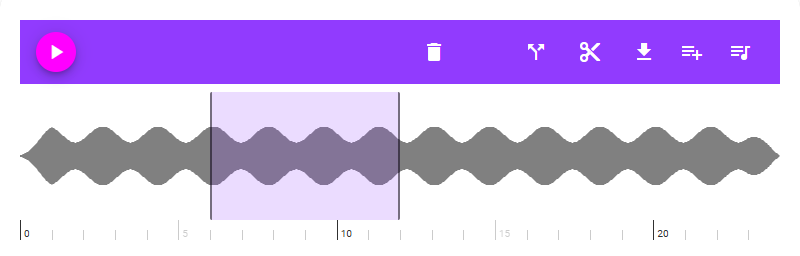
Select a section of a song or recording to cut or extract it in the app. Edit tags, covers and lyrics in the same library, with bulk metadata edits for matching tracks.

Music Library Organizer workflow

Selective Sync

Your music across your devices

Sync selected music between Windows, Android and Linux, and download it ahead of time for offline listening. Connect devices by QR code or link and use your phone as a remote.

AI Copilot

AI

Your AI music assistant

“Play my jazz favorites” or “Create a playlist for a quiet evening”: the optional AI assistant helps with search, playback and playlists. It can also suggest tags and create playlist covers. An account and internet are required; token use varies by model and request.

Insights + Resume

Your listening at a glance

See listening time, play counts and your most-played songs, albums, artists and tags. Resume long recordings with bookmarks and customize the app’s color palette. Supported data exports and the API are available for your own analysis.

Set up your music tools

Current app screens and practical walkthroughs, from your first import to a finished audio clip.

Folders & library

Your music. Your way of organizing it.

Jazz, live recordings or music for the road: the new folder view gives your collection a familiar home. Create folders and subfolders inside MyMusik and browse them alongside albums, artists and playlists.

  • Drag songs, albums and playlists into your own folders.
  • Browse subfolders and jump back using the folder path.
  • Use search, tags and favorites to find what you want in a large collection.

These are folders in your MyMusik library. You choose how to structure your collection.

Organize folders and your music library
Your music. Your way of organizing it.
MyMusik in use · App view with sample data.

Tags, covers & lyrics

Edit your audio, not just its tags

Keep a useful passage from a long recording, cut an unwanted section, or fix a whole album’s metadata. The audio tools live in your song details, alongside tags, artwork and lyrics.

  • Edit titles, artists, albums, genres and years for one song or several at once.
  • Add covers and follow synchronized lyrics using supported LRC files.
  • Select a region in the waveform to cut a section or extract it as a separate audio clip.

Check the conversion setting before importing if you want to keep the original format.

Manage tags, covers and playlists
Get every detail of your collection right
MyMusik in use · App view with sample data.

Sync & remote control

From your computer to your phone. Your selection.

Add music on one device and listen on another. Choose which audio files stay on your phone or computer – useful when the whole collection will not fit.

  • Sync playlists and metadata across Windows, Android and Linux.
  • Download selected cloud music in advance for offline listening.
  • Pair devices with a QR code or connection link and control playback remotely.

Cloud sync needs an account and internet. Music already stored locally can then play offline. Remote devices need a reachable connection.

Sync music between your devices
From your computer to your phone. Your selection.
MyMusik in use · App view with sample data.

Music with friends

Find your next favorite through a friend

Share your taste and get ideas from your friends’ collections. Your profile can show favorites, most-played songs and selected playlists.

  • Connect with friends using a code or QR code.
  • Share playlists as track lists and recommend songs privately.
  • Choose which parts of your profile are visible and who can see them.

You share music information, not audio files. To play a track, you need a matching copy in your own library. Community features need an account and internet.

Compare community features by plan
Find your next favorite through a friend
MyMusik in use · App view with sample data.

Collector Workflow

Get started in three steps

01

Add your music

Drag files and folders into MyMusik or scan your device for music. On Windows, you can also rip audio CDs directly into your library.

02

Organize your collection

Cut songs, edit tags, artwork, playlists, and file details in one place. Search your whole library instantly, clean it up the way you want, or use the AI music assistant to queue tracks for you.

03

Take it offline

Add music on any device and sync it to your other devices. Keep your full library in the cloud as an online backup, then download only the music you want on each device for online or offline listening.

Simple Pricing

Start free. Upgrade when you need more.

Your local library has no plan-based song limit. Cloud, AI and Community require an account and internet; plans differ in storage, AI credits and Community sharing limits.

Music Server + API

Use MyMusik as local music infrastructure for playback, sync, and automation

Run MyMusik on one device and control your library locally, across your own network, or from other devices through the HTTP API. Automate playback, metadata, imports, playlists, sync, dashboards, and custom player workflows while keeping critical flows offline-capable.

Control the full app from one local API surface

Whether you automate on the same device or connect from dashboards, scripts, custom user interfaces, and other tools on your network, the MyMusik API gives you one interface for playback control, library management, selective sync, imports, and self-hosted music workflows.

  • Control playback, queue state, playlists, ratings, tags, lyrics, and metadata updates through one API.
  • Trigger imports, cover art updates, selective sync, backups, and device jobs from scripts and automation tools.
  • Connect AI command flows to deterministic API actions for auditable local playback and library operations.
  • Build dashboards, storage views, backup monitoring, custom music player interfaces, and cross-device library status tools on your own network.
Illustration of MyMusik local music server, API automation, and custom music player interfaces

MyMusik vs Streaming Services

Discover with streaming. Own with MyMusik.

Streaming gives licensed catalog access. MyMusik gives ownership of your file copies, deeper control, offline continuity, and one personal library across your devices.

Ownership of files is not transfer of copyright.

What mattersStreaming servicesMyMusik
Core modelYou rent access to a licensed catalog. It is convenient, but the service controls the catalog, the rules, and your continued access.You build a personal music library from files you own and keep.
Audio quality and playback stabilitySome services now offer higher-quality tiers, including lossless, but playback still depends on the service, account status, device support, and playback path. Apple notes device and connection limits, and Bluetooth is not lossless.Highest quality ceiling and most consistent playback for your own library. Your original files stay intact, and offline playback has no network buffering, no streaming lag, and no catalog substitution.
Offline listeningOffline music is tied to provider rules. Spotify and YouTube Music require paid memberships for music downloads and periodic online check-ins, and Apple Music downloads from the catalog stop working when the subscription ends.Offline is normal playback. Desktop and mobile apps can play your library online or offline with no music subscription required.
Cost logicYou keep paying for access to the catalog. Streaming providers are also dealing with clear price sensitivity and subscription fatigue.No mandatory music subscription. Pay only for the app and optional backup or sync infrastructure. If you do not need sync, you do not need a subscription.
Long-term continuityCatalog access can change by permissions, country, or catalog removals. Spotify says availability varies over time and between countries, and Apple documents that songs can become unavailable or be removed from the Apple Music catalog.Your archive stays usable as long as you keep the files. Your music is not dependent on changing licensing deals.
Missing or rare tracksIf a release is not licensed, not available in your region, or removed from the catalog, you cannot rely on the service to keep it accessible.Import rare, unreleased, regional, personal, or missing tracks and keep them in your own archive permanently.
Library editing and customizationStrong for casual playback, but limited for deep file ownership workflows. Playlist UX matters a lot to users, yet even streaming research highlights usability gaps and demand for more control.Maximum customization. Edit tags, covers, filenames, playlists, folders, metadata, and library structure exactly the way you want.
Cross-device useGood for service-managed cloud access inside one ecosystem.Sync your own library state across devices, with selective sync. Your offline-capable API can also control devices directly, including starting playback on one device from another device.
Privacy and controlListening depends on provider accounts, cloud infrastructure, and platform rules.Local-first ownership model. Your listening habits, private files, and custom archive stay under your control, with encrypted backup options when you want them.
Lock-in riskHabits, playlists, and saved content are tied to one platform and its terms.A file-first library reduces platform dependency over time. Your archive remains yours even if you stop syncing.
Best fitBest for renting broad catalog access and instant discovery.Best for ownership, offline reliability, private libraries, deep customization, and long-term continuity.
FAQ

Real questions about MyMusik

What is free in MyMusik?

You can play your own music locally and offline for free. Your local library is limited only by device storage. Cloud storage, AI and community features have plan-specific limits; ads may appear on Free.

Can I use MyMusik without an account?

Yes. Playing your own local files offline does not require an account. Cloud sync, AI and community features need an account and internet. MyMusik does not include a streaming music catalog.

Can I keep my original audio format?

Turn off import conversion to keep the original format. Check this setting before importing. Keep a separate backup of important original files.

Does every device need my entire collection?

No. Choose the music you need on each device. Download selected cloud tracks for offline use before you travel. The cloud limit does not restrict your local collection.

What is shared when I share a playlist?

Friends see a track list with music information, not copies of your audio files. They can find matching tracks in their own library. You control who can see your profile.

Your Library, Your Rules

Make your collection your favorite place again.

Import your music, rediscover forgotten albums and take your favorite songs along. Start free with local playback, without an account.