Retain WAV
Turn off audio conversion in Audio import settings before importing. Check the current setting even if you have imported music before.
WAV and import settings
Use MyMusik to play and organize WAV recordings alongside MP3 and FLAC. Check import conversion first: it is enabled by default, so turn it off when you want to retain WAV.
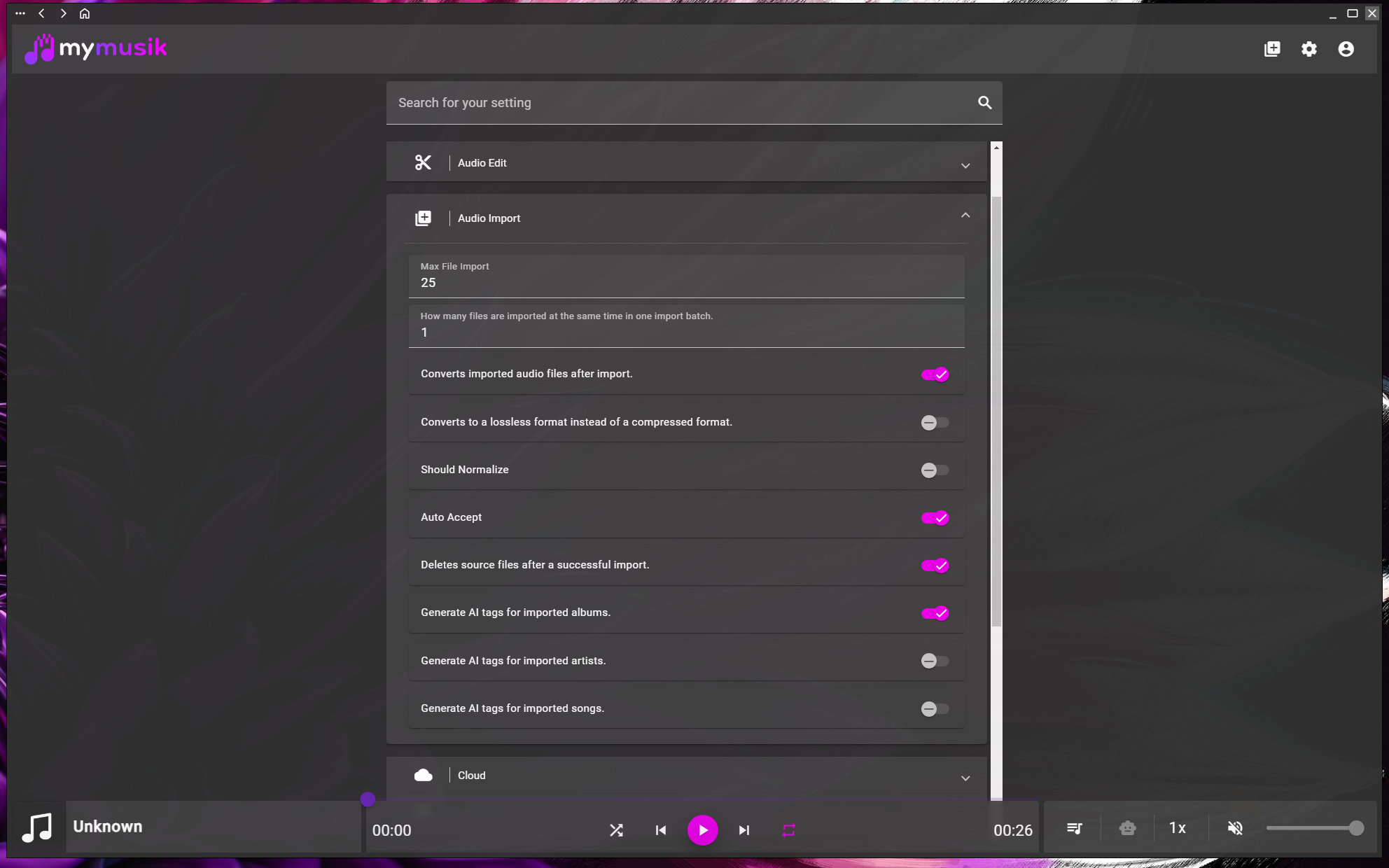
Turn off audio conversion in Audio import settings before importing. Check the current setting even if you have imported music before.
FLAC is an alternative for lossless compression of suitable WAV sources. It often uses less space; the result depends on the source audio.
MP3 conversion can reduce storage and transfer size, with a loss of audio detail. Keep important original recordings separately.
Browse supported WAV, MP3 and FLAC tracks in the same library, then group them with playlists, folders and tags.
Open song details for waveform selection, cutting and clip extraction. Export the current song as MP3, FLAC or Ogg; extract a range first to export only that clip.
Open Settings and find the Audio import section. Turn conversion off to retain WAV, or deliberately choose a conversion target.
Import one WAV file and play it. WAV is a container, so support still depends on the actual audio encoding and platform.
Verify the imported file format and available storage, then import the remaining recordings with the same settings.
Yes, for supported WAV audio. Disable import conversion first so the imported recording retains its source format.
Import conversion may be enabled with MP3 as its target. Review Audio import settings before importing more files; existing saved settings determine the behavior.
FLAC compresses suitable source audio without lossy encoding, but size savings vary. Converting a lossy source to FLAC does not improve its original quality.
The song export tool offers MP3, FLAC and Ogg. Keep the original WAV separately if you need that exact source file.
Visit the download page, install MyMusik and try one music folder first.
Check the current plans for cloud storage and AI allowances before choosing a plan.